This guide is for account administrators who manage plan changes and review account-level controls.

Review plan and billing

Open Settings and choose Billing to review the current plan and its available actions. Use Upgrade or Downgrade only after you review the change and its effective date.
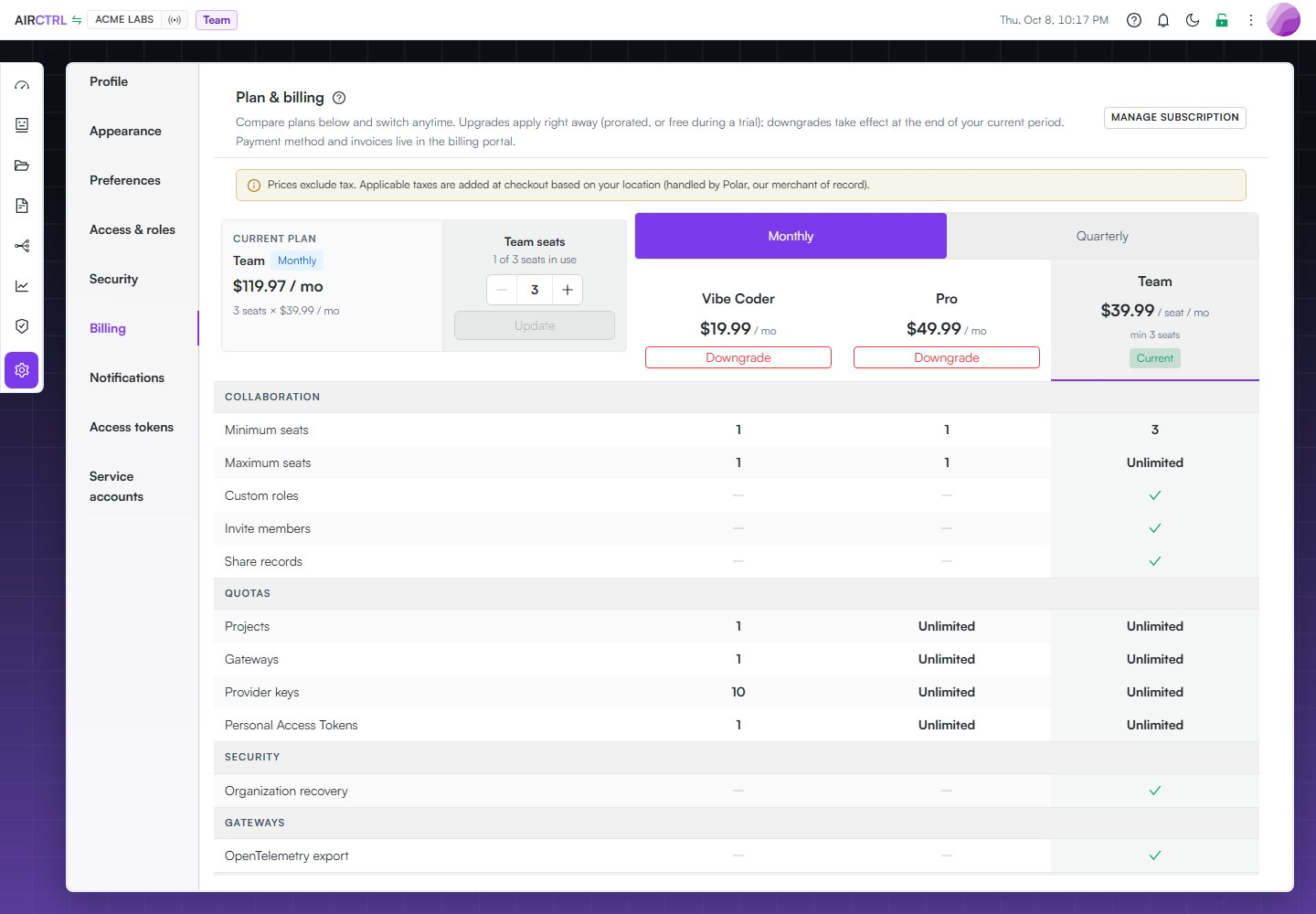
Acme Labs Billing page showing the current Team plan, seat use, plan comparison, and Manage subscription action.

Acme Labs can compare plans, review seat use, and open subscription management from the Billing page.

shows a scheduled change when a plan update will take effect later. Use Undo change only when you want to cancel that pending change. Use Manage subscription for subscription actions that require the billing provider’s management flow.

Understand view-only mode

When a subscription ends, the account can enter view-only mode. In this state, actions such as creating a project are unavailable. Reactivate an eligible plan before you resume normal changes.

Review governance

Open Governance to review roles and access, active policy and controls, and usage attribution. Use this view to understand the account’s posture before you make a broad access or plan change.
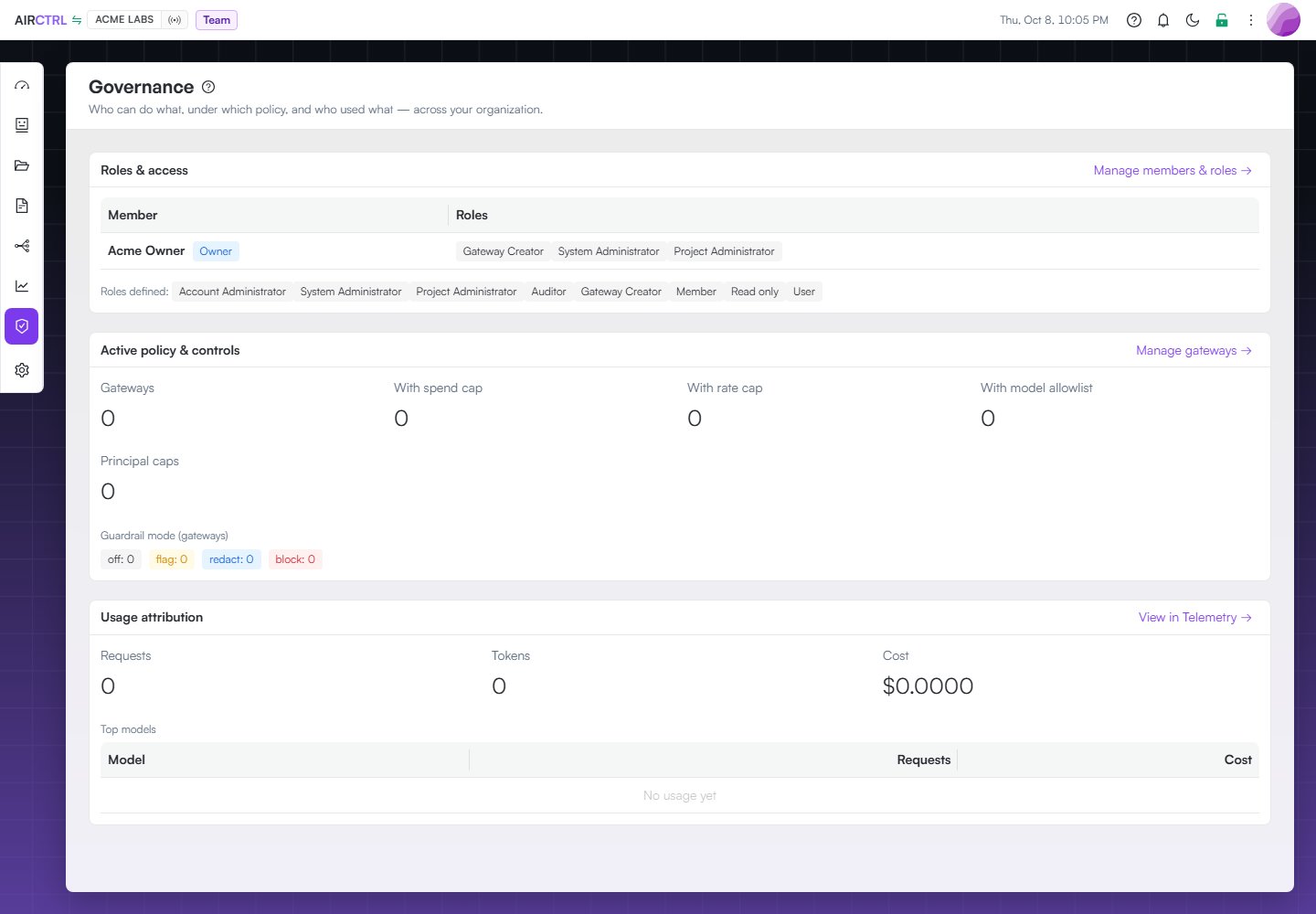
Acme Labs Governance page showing Acme Owner roles, active policy and controls, and usage attribution.

Governance brings Acme Labs roles, active controls, and usage attribution into one review screen.

Choose an evidence window and use member, role, and model search to focus the account view. The charts compare governed traffic, provider and model concentration, project attribution, HTTP outcomes, and gateway reliability. The tables below remain the source for exact role assignments, active gateway controls, and model attribution.

Review telemetry

Open Telemetry to inspect AI usage, secret activity, and session security. The AI summary can be filtered by project, time window, provider, model, HTTP status, and—when you can read stored bodies—full-text body search. Its panels include requests and errors, latency percentiles, spend and caps, token throughput, provider and HTTP distributions, latency/volume correlation, top models, and top principals. Use the Logs subtab for individual calls. The main Dashboard reuses this same AI metrics surface for the selected project, alongside its recent attributed calls. Filters and calculations therefore do not diverge between Dashboard and Telemetry. Governance and telemetry help you review activity. They do not replace careful approval of sensitive record, access, gateway, or billing changes.